 LoHa Page
Automated posting for 1000+ Facebook Pages and Instagram accounts
One computer, one operator. Posts, Reels, Stories and comments go out on a spread-out schedule — no browser, no logging into each page.
Drop affiliate links into comments automatically and build Reel Pages for view monetisation at scale — running in the background 24/7 on your own machine. LoHa Insta is sold separately for Instagram: buy both platforms and save 20% on the total bill.
Free to install · Windows 10/11 · macOS Apple Silicon
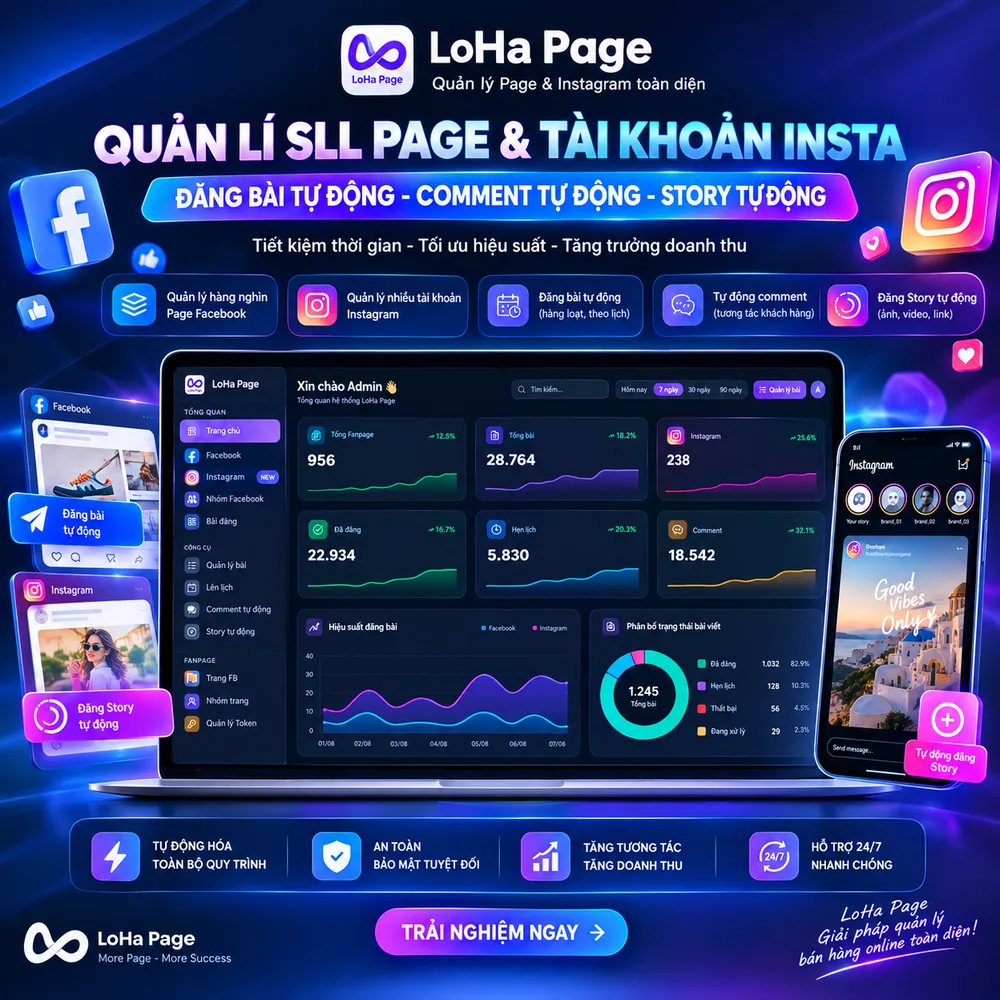
Overview Video
Every feature of LoHa Page, and what it does for you, in one video.
See the DEMO Now
A working replica of the interface, in your browser — no download, no account.
Open the replicaThis replica is for looking around. To post for real, download the app.
What the software does for you
LoHa Page posts through Facebook’s official Token API — it does not spam through personal accounts the way other tools do, so a checkpointed account (956 or 282) does not take your posting down. With this approach a shop can run thousands of Pages from just a few accounts; once set up, the tool keeps posting even if those accounts die.
Bulk posting, every format
Text, photos, multi-photo albums, video and Reels. Drop files into a folder and the app picks them up, builds the posts and queues them.
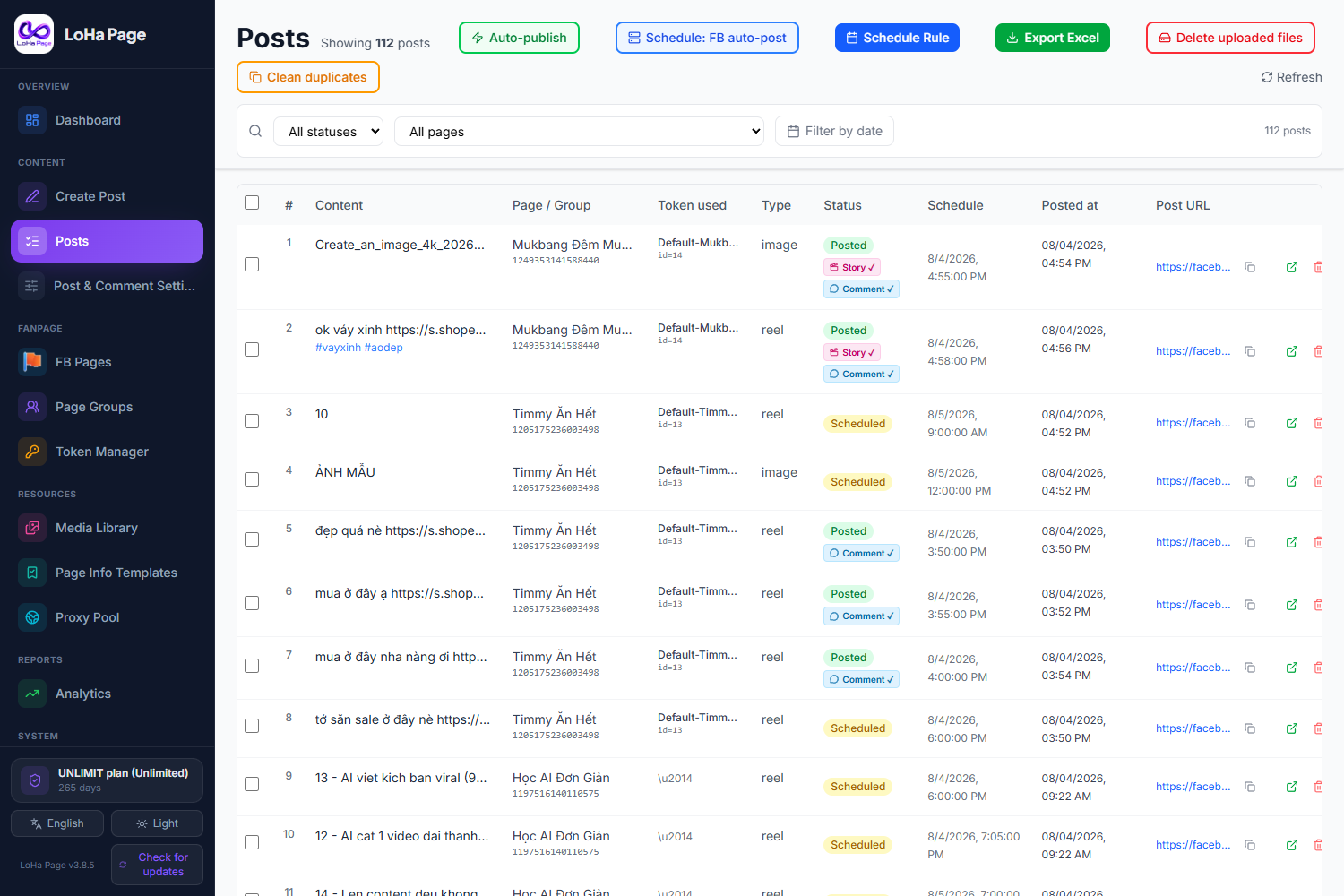
Page groups — configure once
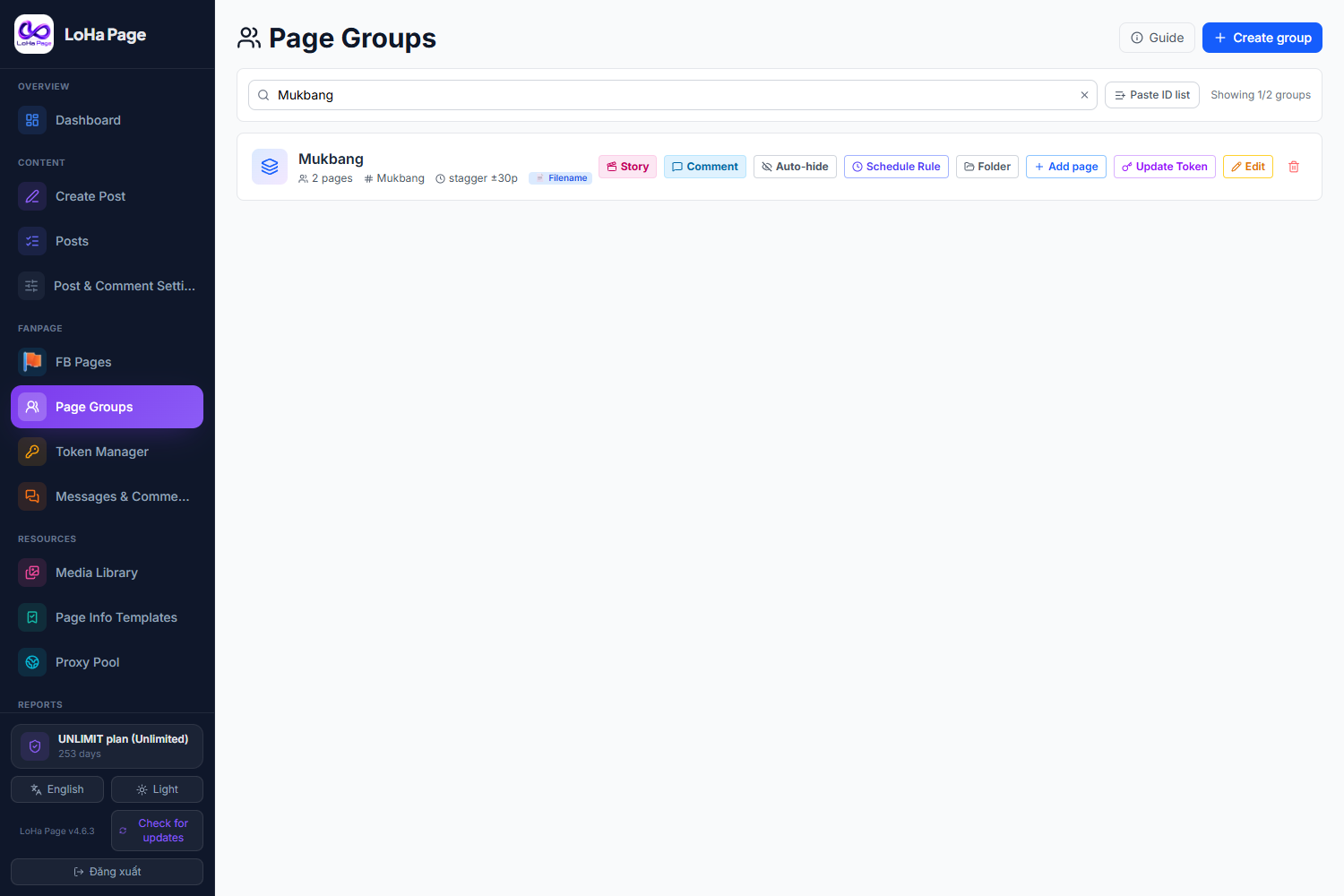
Put hundreds of pages in a group and set shared rules: content, schedule, tokens, proxies. New pages added to the group inherit everything.
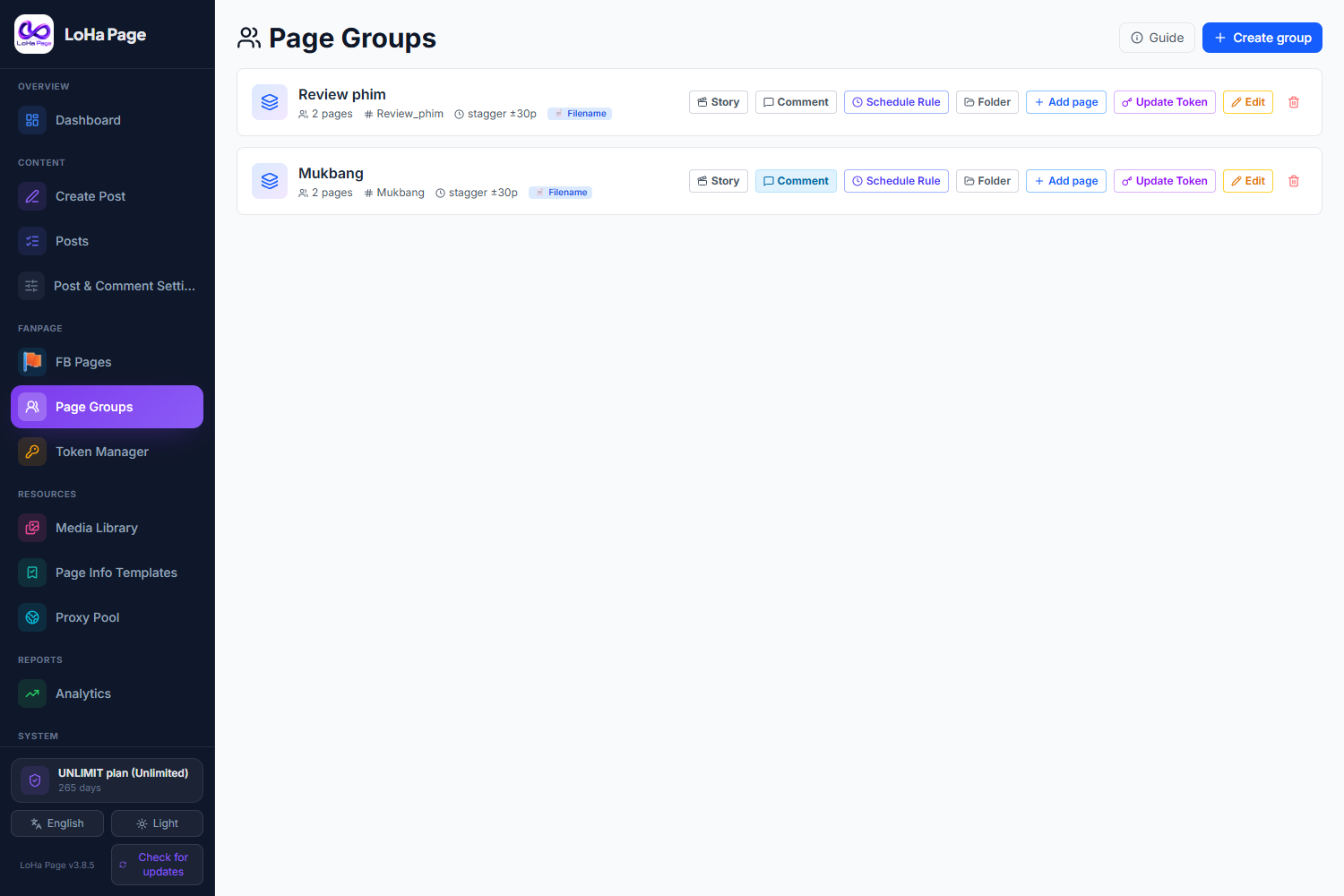
Smart scheduling rules
Choose a gap between posts or fixed time slots, with random offsets between pages so it never looks like a synchronised blast.
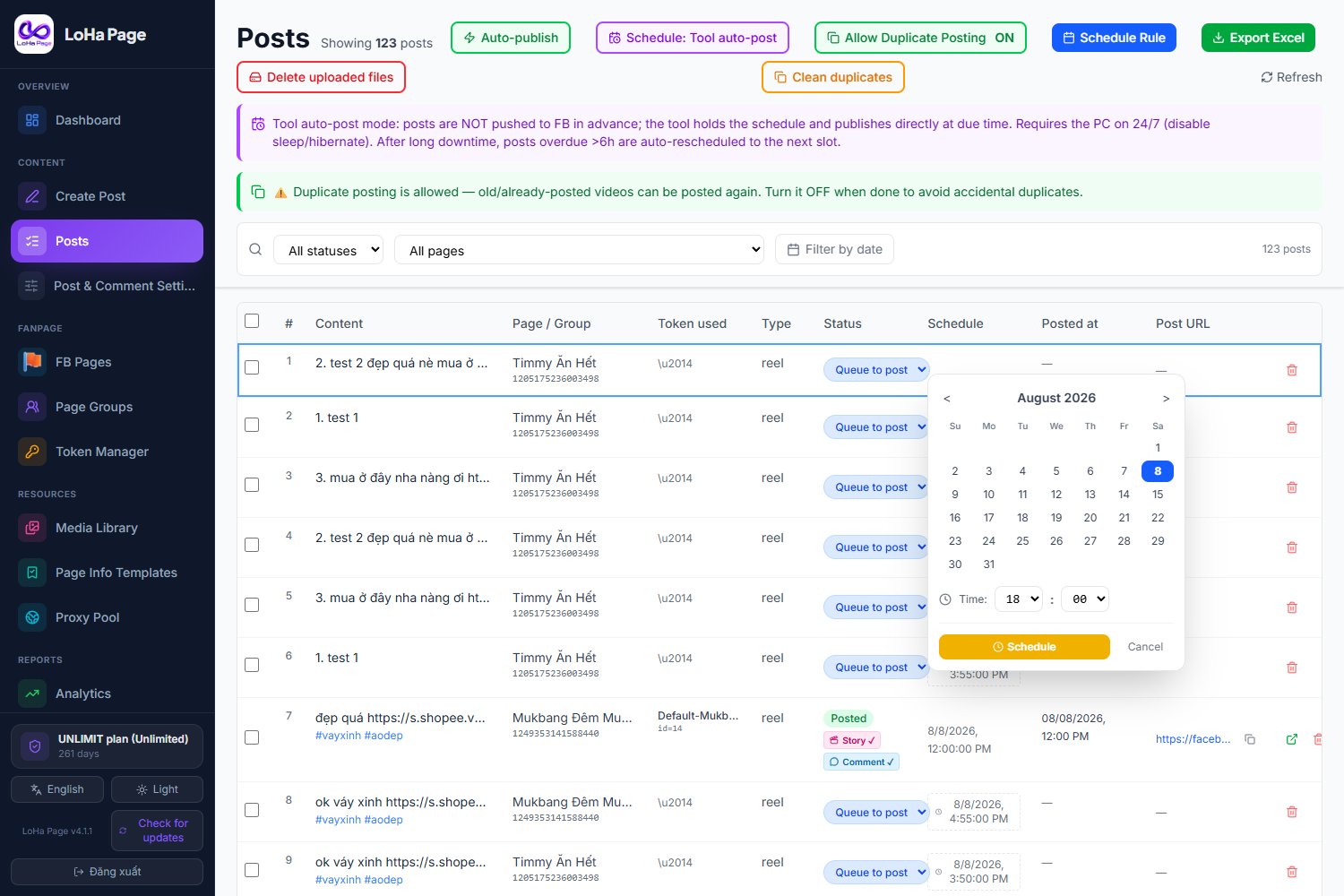
Seed comments after posting
The page comments on its own fresh post — a shop link, product name, or rotating content from your library.
All comments in one place
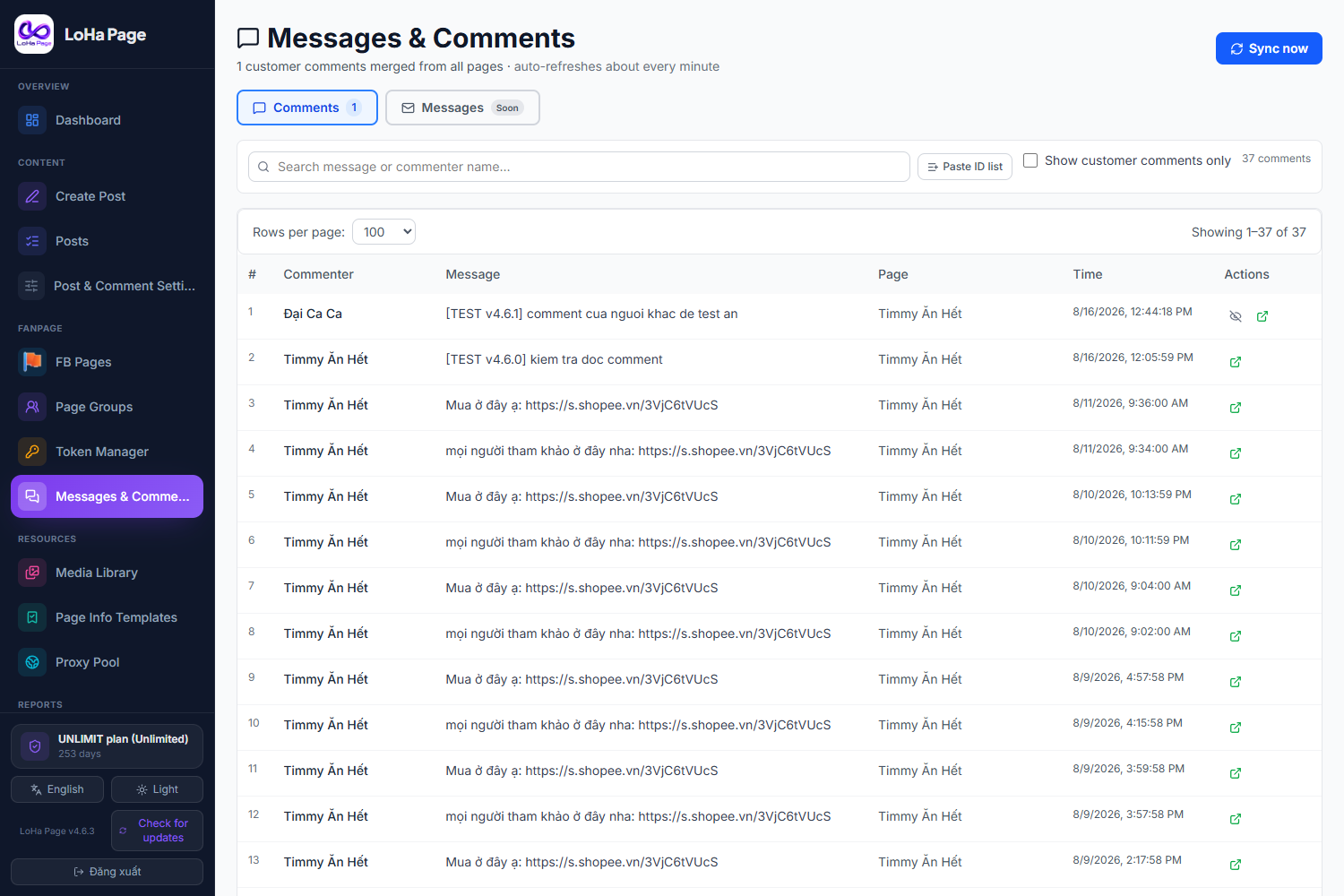
No opening pages one by one. See customer comments from thousands of pages in a single table, filtered by date and status.
Auto-reply and hide comments
Set keyword rules and the page answers customers itself. Safety caps, natural delays and an emergency stop button.
Rotating token pool
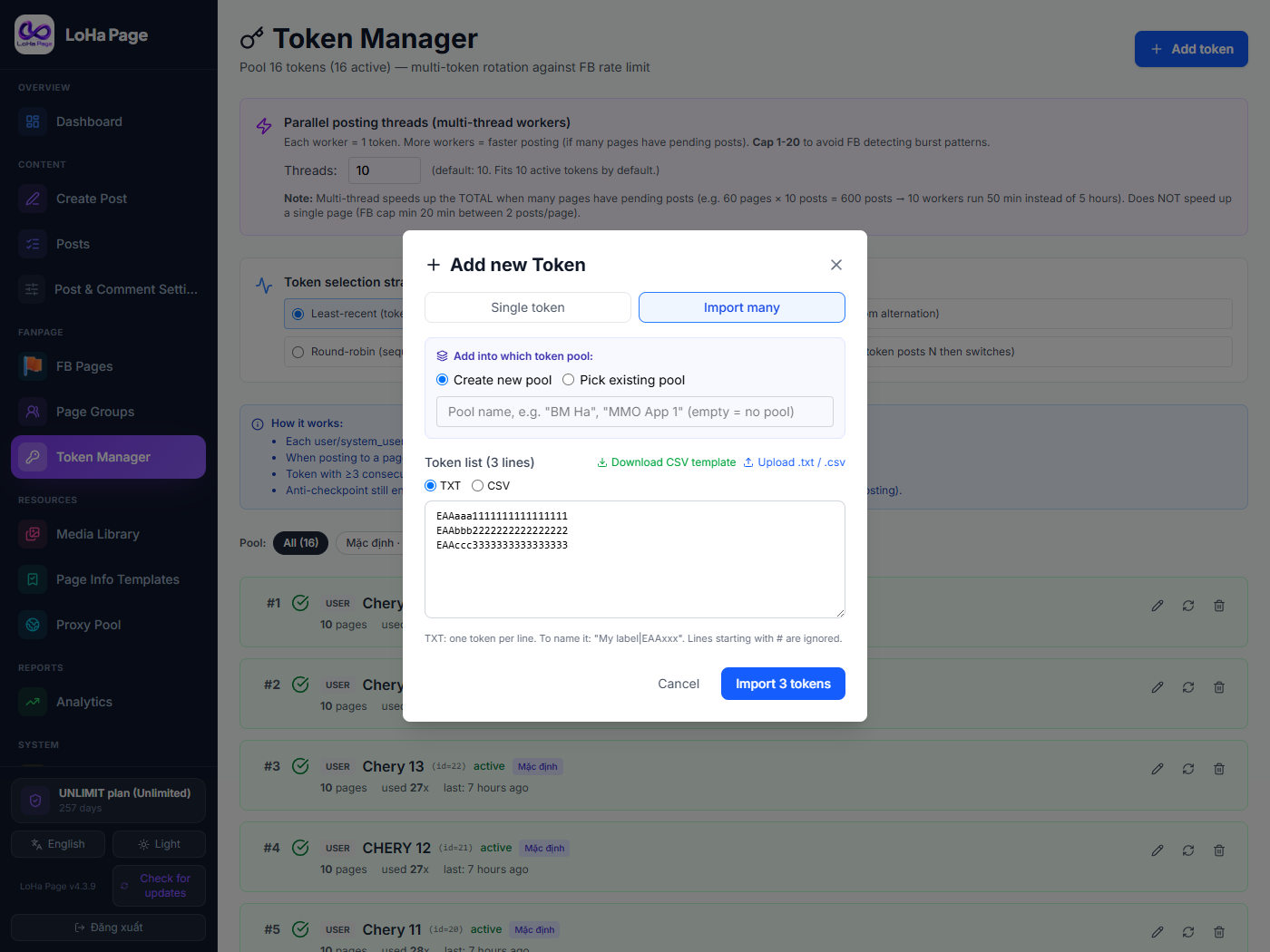
Tokens take turns, rest when they hit a limit and reactivate on their own — lowering the risk of a lockout.
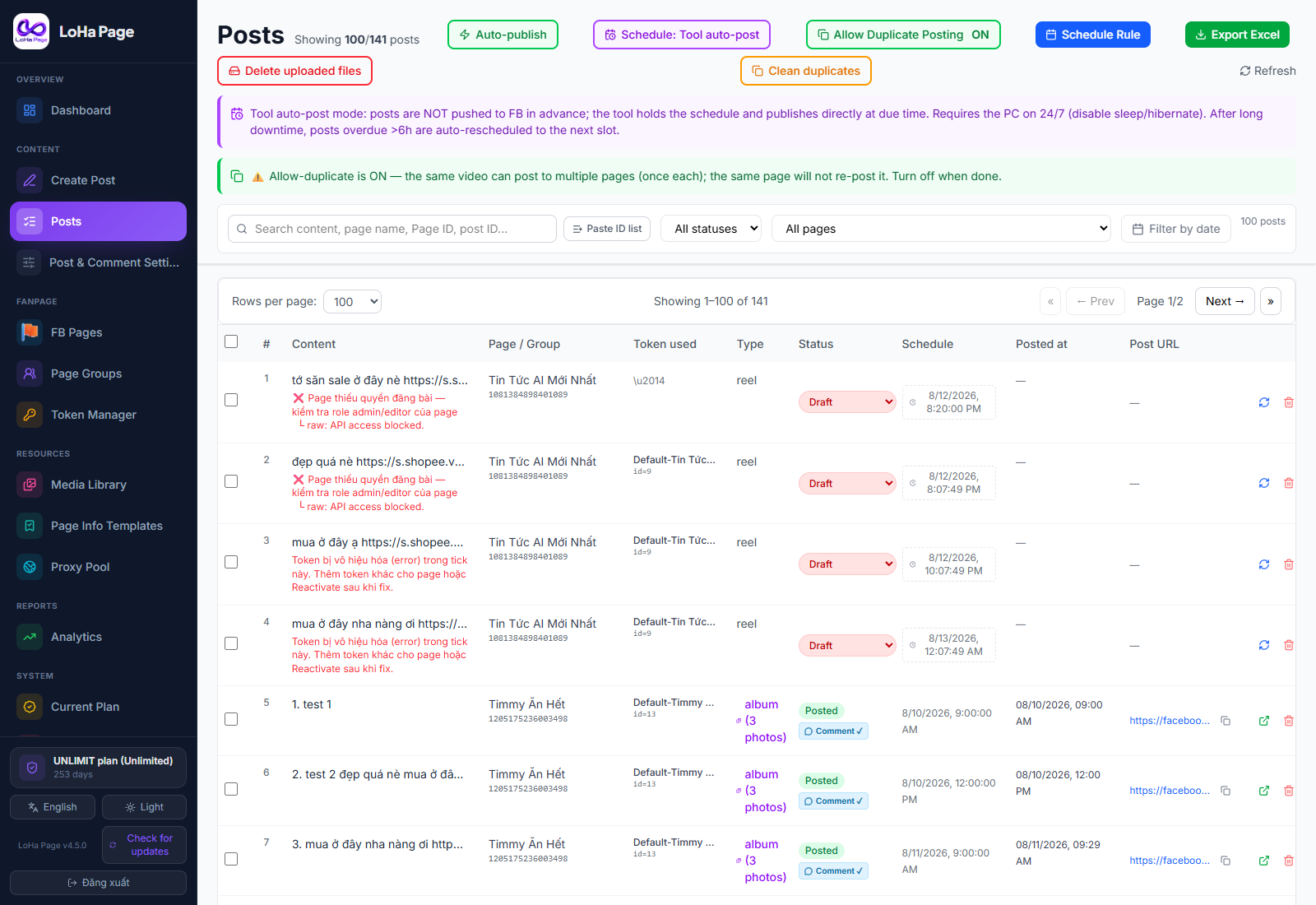
Per-page proxies
Each page gets its own address. IPv4 and IPv6, with a liveness check before use.
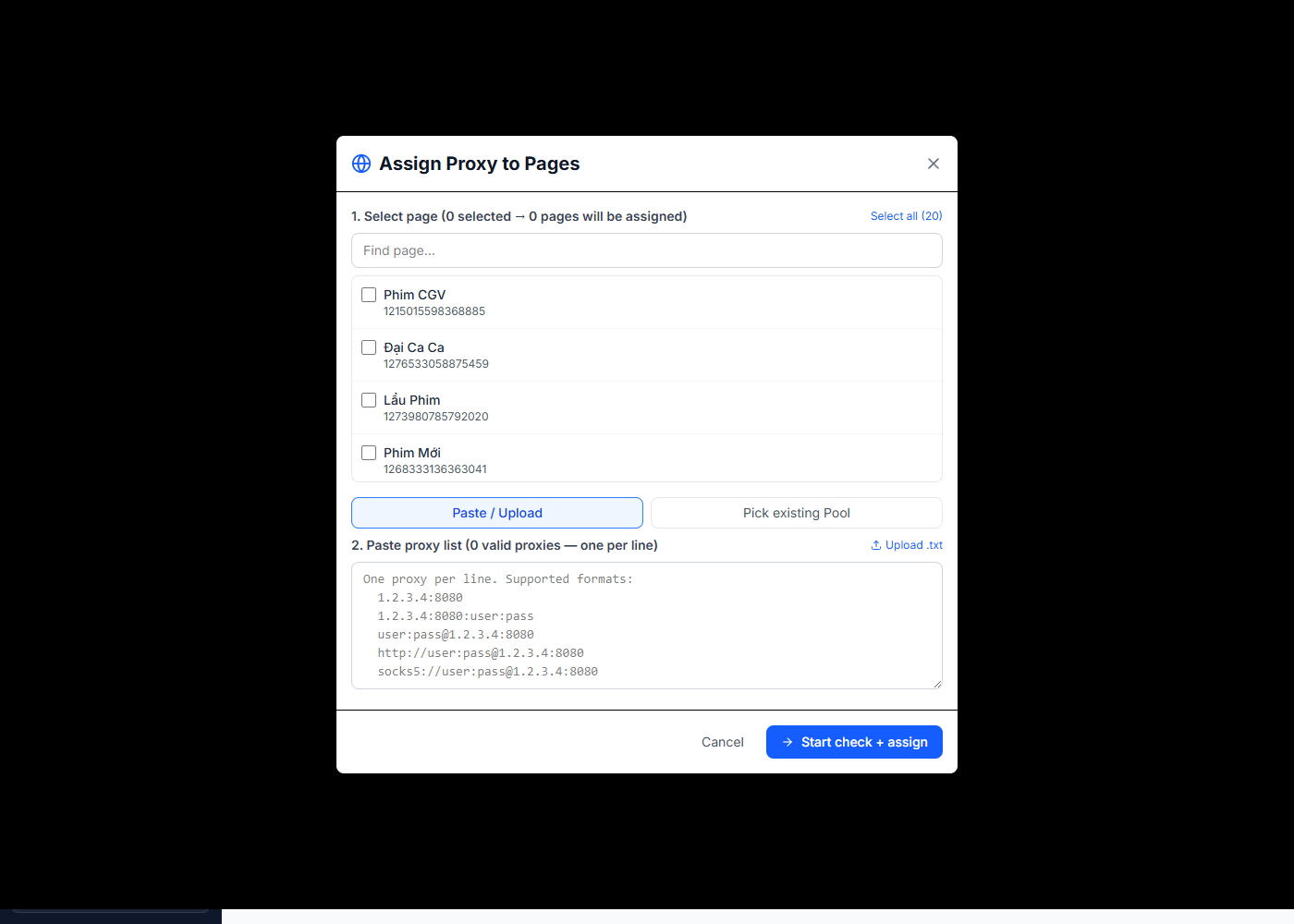
Handles tens of thousands of posts
Server-side pagination — the list opens instantly even past 10,000 posts.
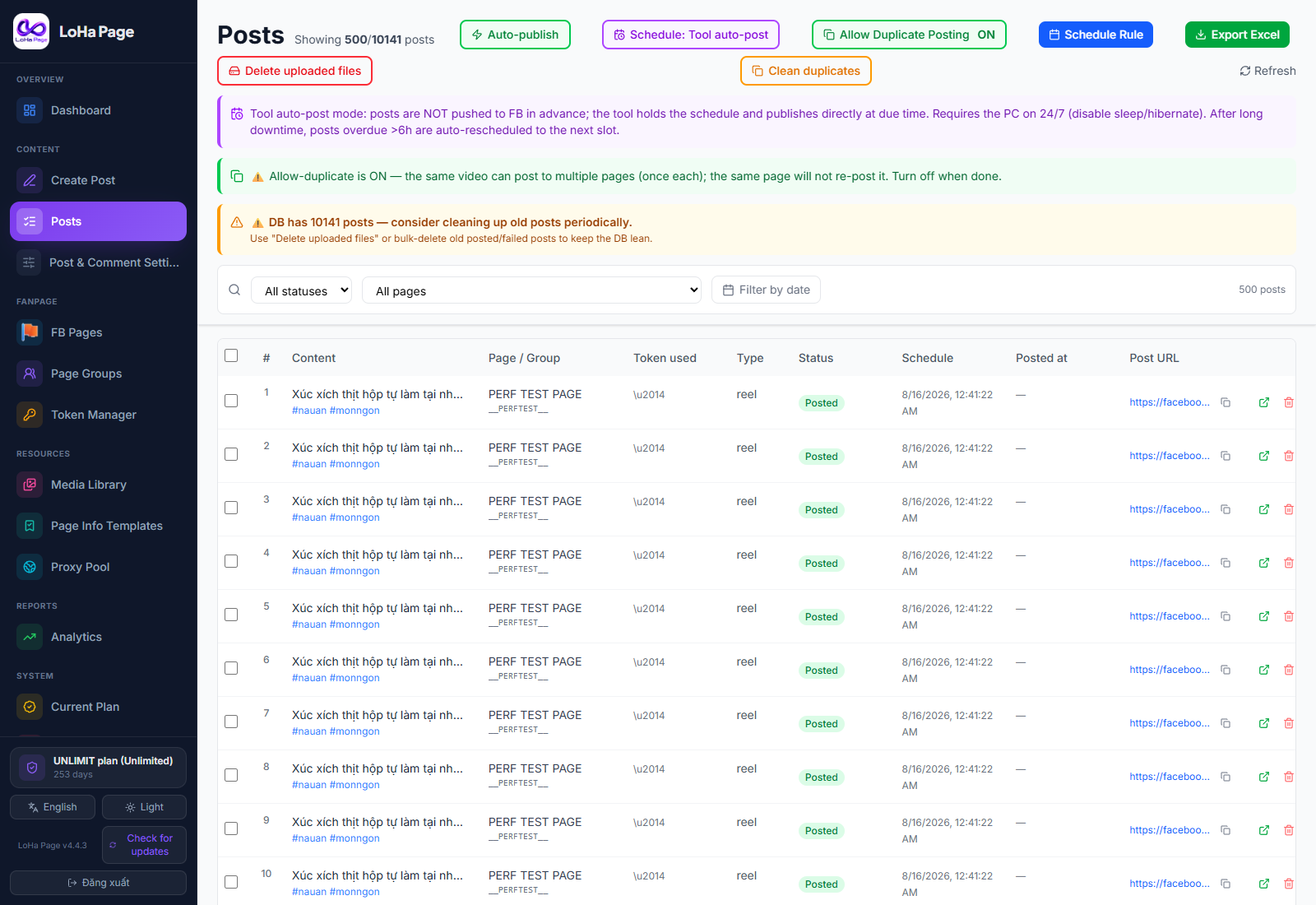
Search by pasted ID list
Paste a whole list of page or post IDs to filter them all at once instead of hunting one by one.
And Instagram too — one more channel, same single PC
LoHa Insta is a separate plan that runs inside the same app as LoHa Page. Connect the Instagram Business accounts already linked to your Facebook Pages, drop a video into a folder, and the software creates the post, spreads the schedule and comments for you. Buy both platforms and get 20% off the total bill.
Run many Instagram accounts
Scan and add the Instagram Business accounts linked to your Facebook Pages. Mirror Reels from your Facebook Page to Instagram — dead simple, fully automatic.
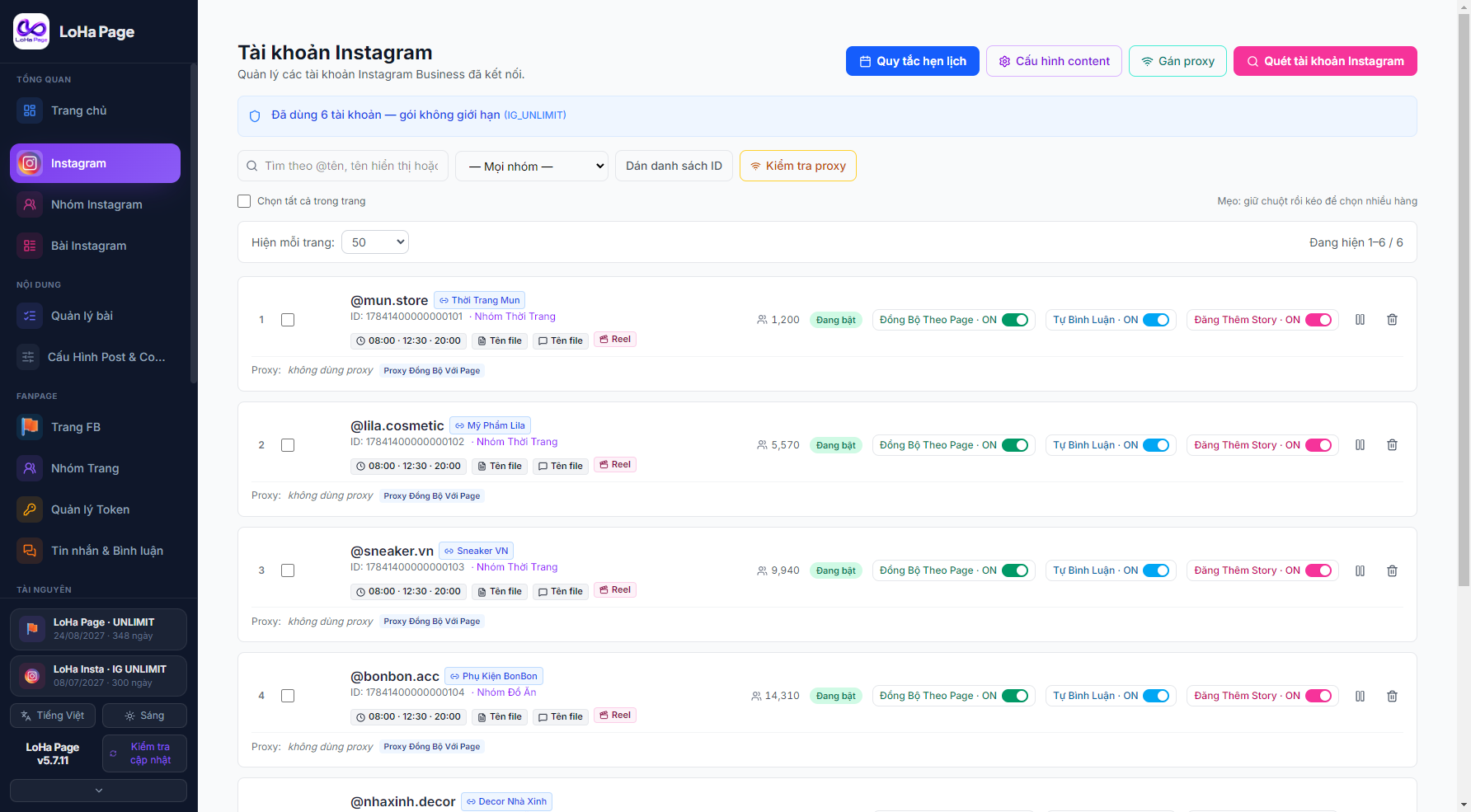
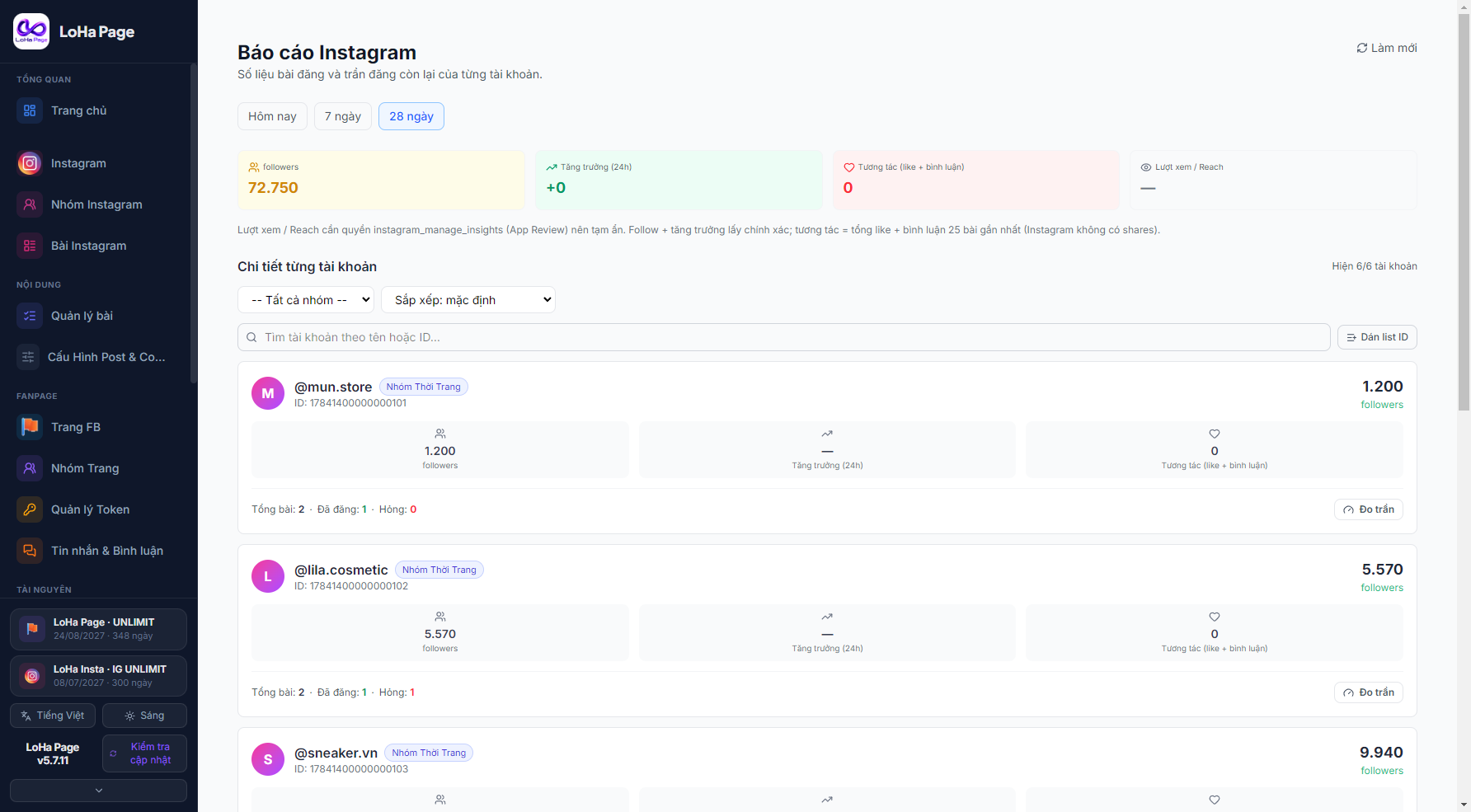
Auto-post Reels and Stories from a folder
Drop a video into that account folder and the app builds the post and schedules it. Video keeps its original quality — repackaged only, never re-encoded or downscaled.
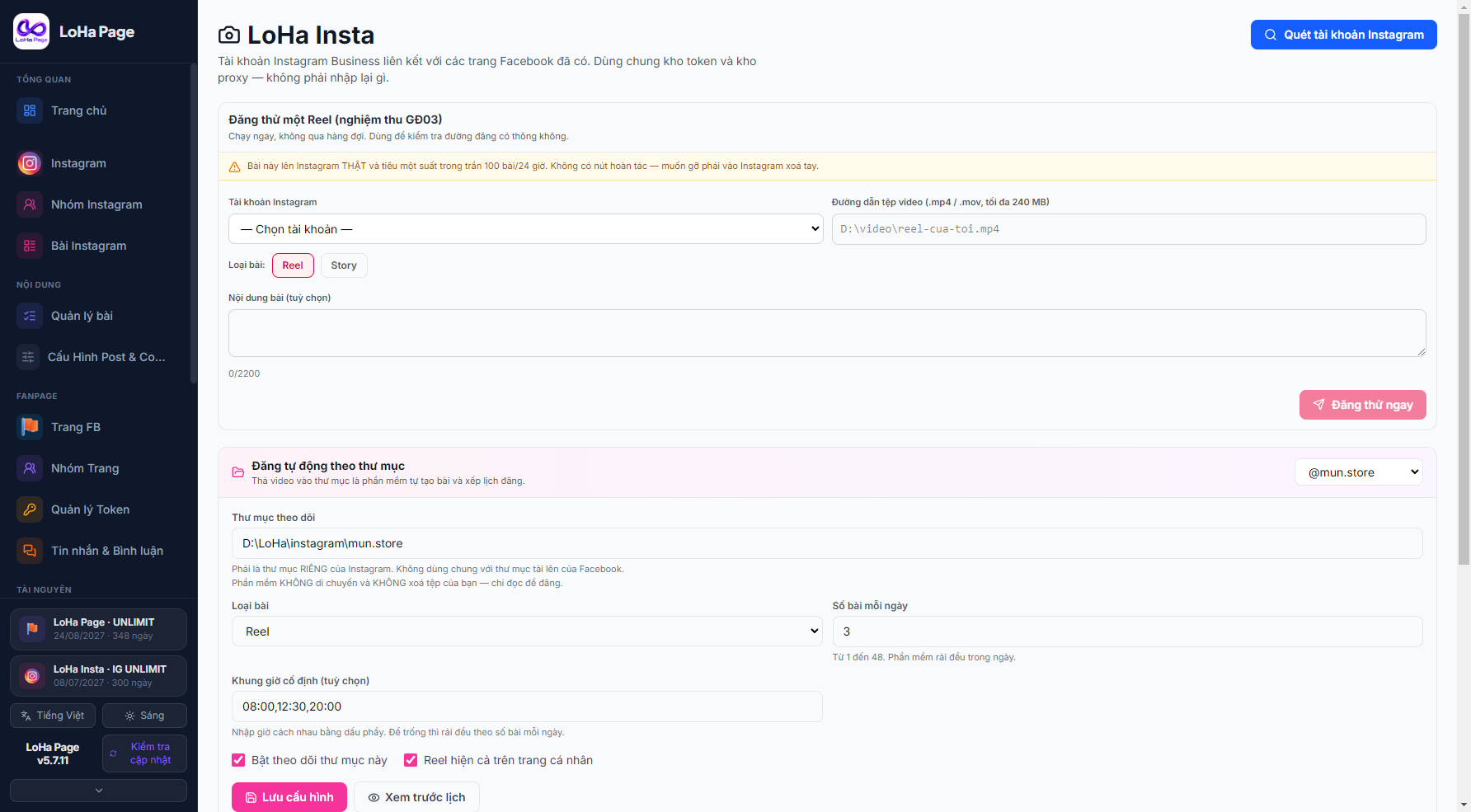
Bulk post management
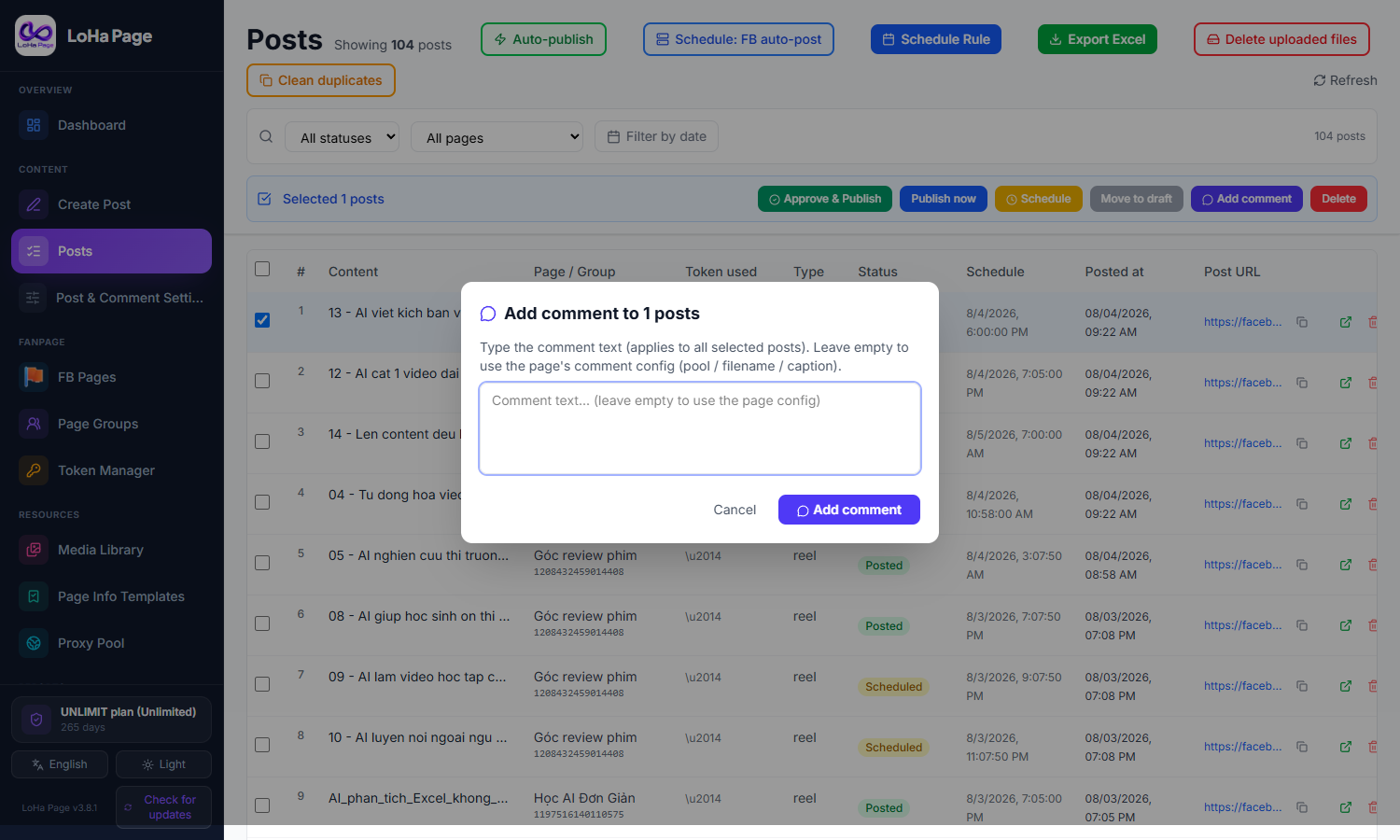
Select several posts, then Post now, Reschedule, Move to draft, Add comments or Delete. Hold and drag to select a run of rows. Filter by status, account, group, engagement and date range.
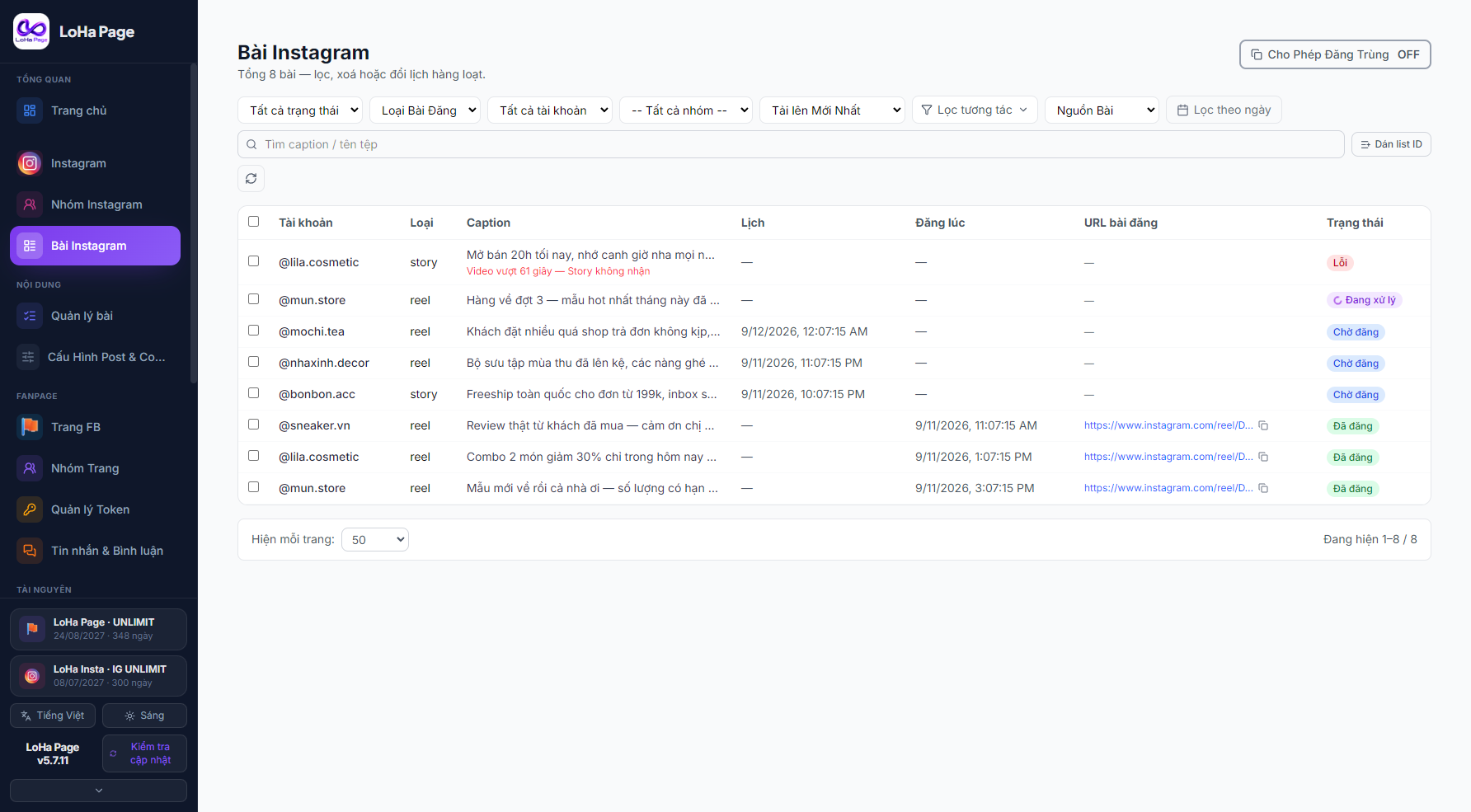
Account groups — configure once
Put several accounts in one group and set the content pool, schedule and proxy for all of them. New accounts joining the group inherit everything.
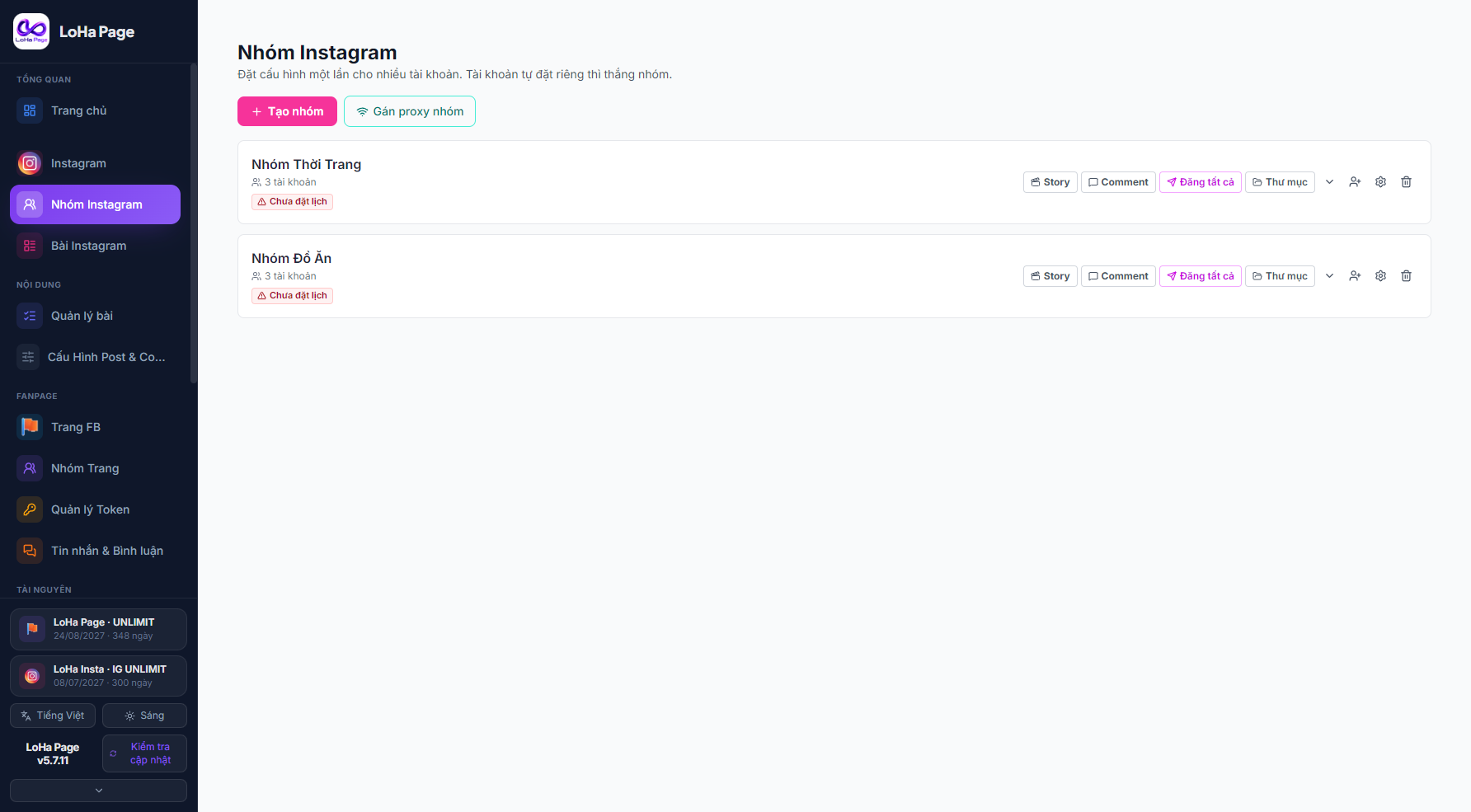
Follower and engagement reports
Track followers, engagement and growth per account, with a counter for the 100-posts-per-24-hours cap so you never hit the Instagram limit.
Mirror posts from your Facebook Page
A post published on your Facebook Page creates the matching Instagram post. For people running both platforms — write once, publish to both.
How to use it
Setup takes time only the first time, when you are onboarding many Pages (hundreds to thousands); with a few Pages it is quick. Watch these to get it right the first time.
Feature overview
Related videos
Bulk-adding Pages and getting permanent tokens
Setting up bulk posting and auto link comments
Managing thousands of Pages quickly
Auto-posting link comments
Assigning a proxy to a Page
Pricing
Pay monthly, or pay up front and save. Every plan includes every feature — no add-ons.
Applies to a single order covering both plans. Tap the banner to pick your plans and place a combo order right here.
PAGE20
For individuals & beginners
- Posts, photos, albums, video and Reels
- Attach another channel to your Page — the app downloads its videos and posts them to the Pages you choose
- Bulk auto-scheduling for posts
- Remote-control bot
- Detailed engagement report for every Page
- Bulk-change Page avatars and cover photos
- Bulk add or edit Page bios
- Automatic Story posting
- Auto link comments on new posts (and back-fill old ones)
- All Pages’ comments merged into one inbox
- Auto-reply to customer comments by keyword
- Auto-hide comments
- Priority support — reply within 2 hours
- Setup support for the bulk auto-token tool
- Built-in AI writes SEO-ready captions
- Auto-generate avatar and cover images with AI, swapped automatically
- Auto-write content, generate images with AI and auto-post by topic
- Special agency terms
PAGE100
For professional marketing teams
- Posts, photos, albums, video and Reels
- Attach another channel to your Page — the app downloads its videos and posts them to the Pages you choose
- Bulk auto-scheduling for posts
- Remote-control bot
- Detailed engagement report for every Page
- Bulk-change Page avatars and cover photos
- Bulk add or edit Page bios
- Automatic Story posting
- Auto link comments on new posts (and back-fill old ones)
- All Pages’ comments merged into one inbox
- Auto-reply to customer comments by keyword
- Auto-hide comments
- Priority support — reply within 2 hours
- Setup support for the bulk auto-token tool
- Built-in AI writes SEO-ready captions
- Auto-generate avatar and cover images with AI, swapped automatically
- Auto-write content, generate images with AI and auto-post by topic
- Special agency terms
PAGE300
For operations with many pages
- Posts, photos, albums, video and Reels
- Attach another channel to your Page — the app downloads its videos and posts them to the Pages you choose
- Bulk auto-scheduling for posts
- Remote-control bot
- Detailed engagement report for every Page
- Bulk-change Page avatars and cover photos
- Bulk add or edit Page bios
- Automatic Story posting
- Auto link comments on new posts (and back-fill old ones)
- All Pages’ comments merged into one inbox
- Auto-reply to customer comments by keyword
- Auto-hide comments
- Priority support — reply within 2 hours
- Setup support for the bulk auto-token tool
- Built-in AI writes SEO-ready captions
- Auto-generate avatar and cover images with AI, swapped automatically
- Auto-write content, generate images with AI and auto-post by topic
- Special agency terms
UNLIMIT
For agencies & large enterprises
- Posts, photos, albums, video and Reels
- Attach another channel to your Page — the app downloads its videos and posts them to the Pages you choose
- Bulk auto-scheduling for posts
- Remote-control bot
- Detailed engagement report for every Page
- Bulk-change Page avatars and cover photos
- Bulk add or edit Page bios
- Automatic Story posting
- Auto link comments on new posts (and back-fill old ones)
- All Pages’ comments merged into one inbox
- Auto-reply to customer comments by keyword
- Auto-hide comments
- Priority support — reply within 2 hours
- Setup support for the bulk auto-token tool
- Built-in AI writes SEO-ready captions
- Auto-generate avatar and cover images with AI, swapped automatically
- Auto-write content, generate images with AI and auto-post by topic
- Special agency terms
One account runs on one machine. Contact support to move machines.
Frequently asked questions
It depends on the scheduling mode you pick. 1. Facebook-schedules mode: posts are scheduled on Facebook itself, so they go out even with your computer off. 2. Tool-schedules mode: the tool must stay open — when the time comes, it posts directly to Facebook.
Download LoHa Page
Free to download and install. You need a paid plan to post.
Version 6.2.18 · 235 MB · Windows 10/11 64-bit
- 1Download and run the installer
- 2Open the app and create an account
- 3Add pages and tokens, then drop files into the folder